1.打开 PowerShell 为此,请按 Windows 键 + X,然后选择 PowerShell 或终端
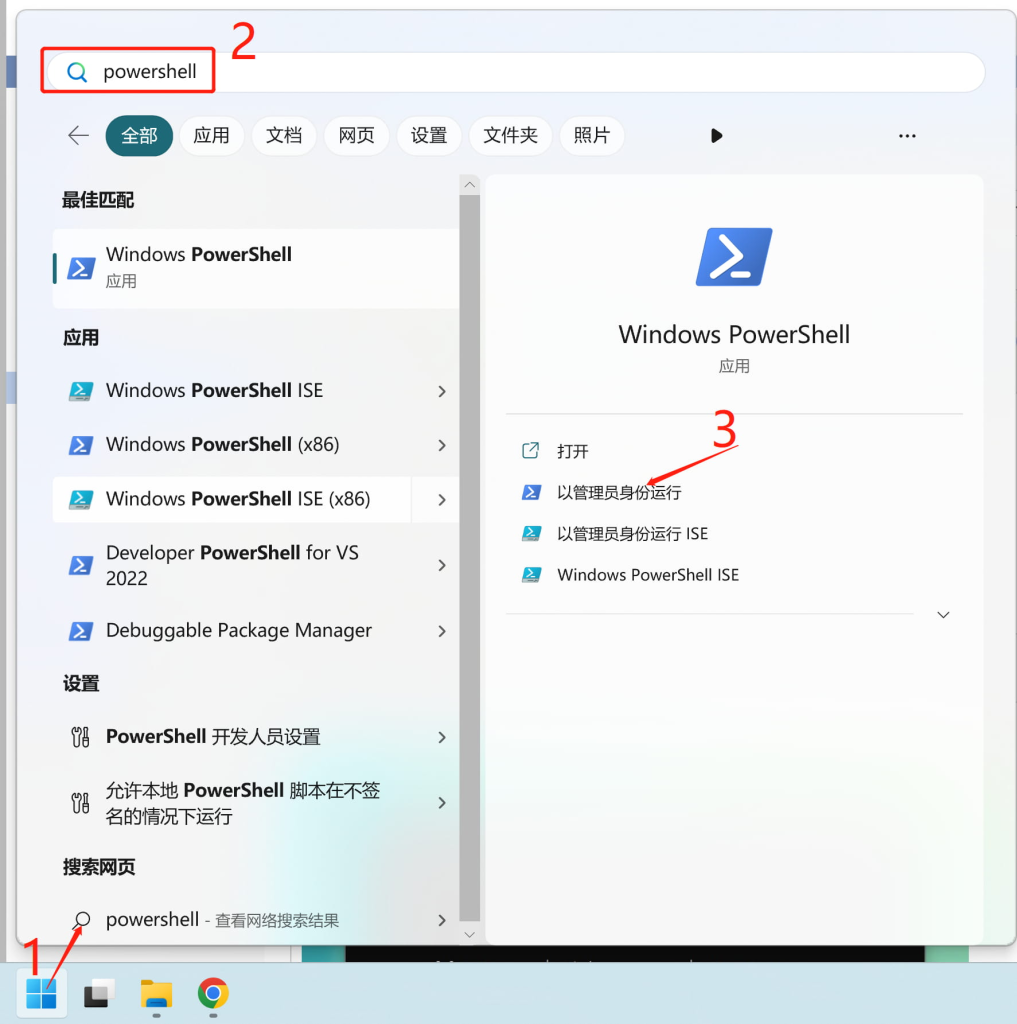
2.复制并粘贴下面的代码,然后按 Enter。
irm https://get.activated.win | iex
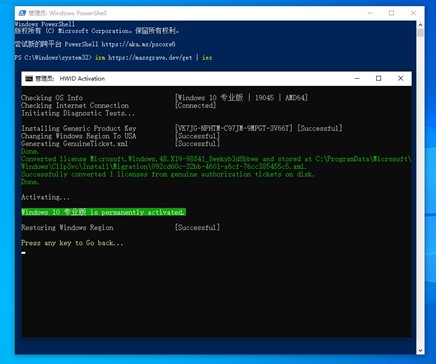
3.您将看到激活选项。选择以绿色突出显示的激活选项。按1(数字许可证激活,HWID方式,永久激活Windows)

命令解释:
Activation Methods: 激活方法
[1] HWID | Windows | Permanent 永久 [2] Ohook | Office | Permanent 永久 [3] TSforge | Windows/Office/ESU | Permanent 永久, 2025年2月19日新增,最新的3.0版才有 [4] KMS38 | Windows | Year 2038 到2038年 [5] Online KMS | Windows / Office | 180 Days 180天
[6] Check Activation Status 检查激活状态 [7] Change Windows Edition 改Windows版本 [8] Change Office Edition 改Office版本
[9] Troubleshoot 疑难排解 [E] Extras 附加选项 [H] Help 帮助 [0] Exit 退出
用键盘输入选择项,方括号中为可选项 [1,2,3,4,5,6,7,8,9,E,H,0] :
看到 Successful关闭窗口即可。
下载 Windows / Office :https://massgrave.dev/genuine-installation-media
No responses yet